How to copy rate codes between rate sets
Last updated: November 25, 2025
This feature lets you pull rate codes from one or more existing rate sets and copy them into your chosen rate set. It’s an alternative to inheriting rate sets, and is useful when you want a snapshot of another set’s rates without creating a live link.
What’s the Difference Between Duplicating Rate Codes and Inheriting Rate Sets?
Inheriting Rate Sets
When rate set A is configured to inherit from rate set B, the two become linked.
Any time rate set B changes—new rates, updated rates, deleted rates—rate set A automatically uses those updated values at rating time.
You’re always getting the latest version of B.
Duplicating Rate Codes
When you duplicate rate codes from rate set B into rate set A, you’re taking a copy of those rate codes at that moment in time.
If rate set B changes later, rate set A will not pick up those updates during rating.
The two sets are completely independent after the duplication.
How to copy rate codes
Step 1: Navigate to your primary rate set, the one you want to add rate codes to.
Step 2: Select '...' and then the ⊕ icon. You should see the following menu dialogue:
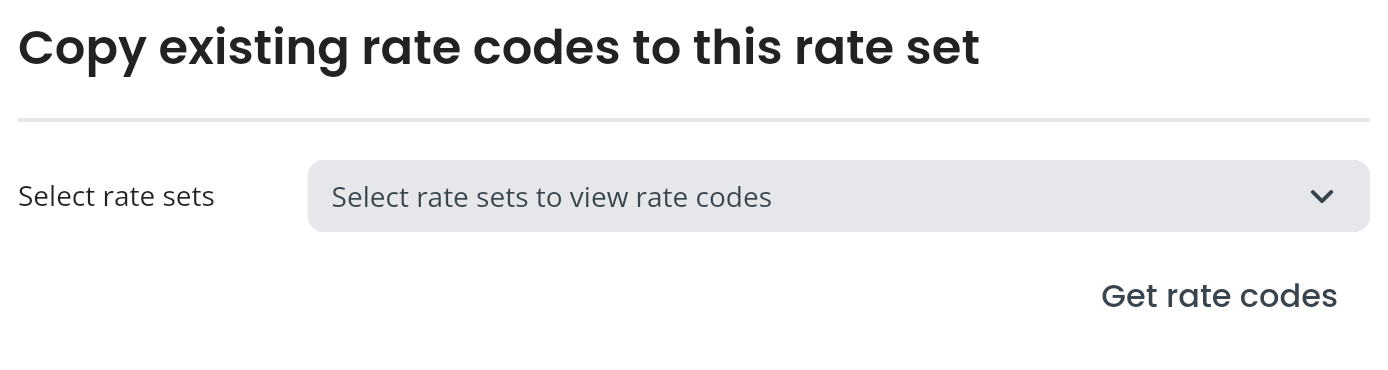
Step 3: In the drop down, search and select multiple rate sets. This isn't the final step a you can remove any unwanted results before you proceed. Click Get rate codes
Step 4: Review the retrieved rate codes, remove any rate codes not required using the delete icon. Note, all rate codes within any selected rate set are returned for review.
Step 5: Click Add rate codes to rate set.
The selected rate codes will be added to the rate set. Remember, you can always restore previous versions on a rate set if required, or edit the rate set and manually resolve any issues.