Supported Consumption File Formats
Last updated: June 11, 2026
This page details the supported file formats Factor can import. The Factor UI will provide appropriate options for your market.
Support by market
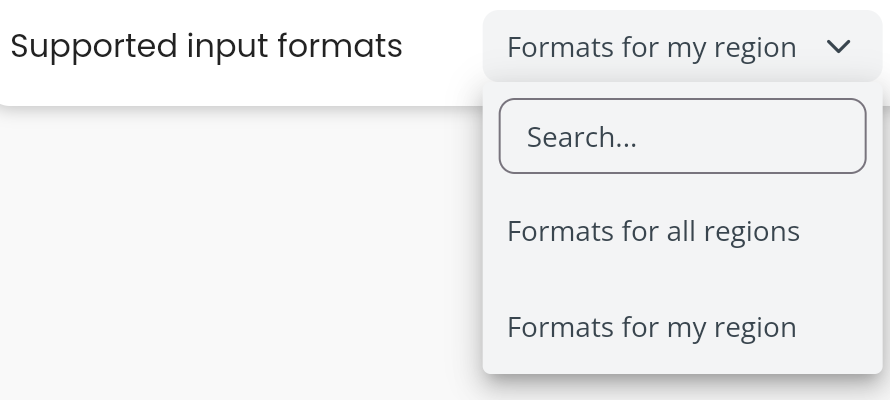
In order to use formats outside of your market, you can change your preferred file format settings under the settings menu:
Australia
NEM12
All markets
Factor CSV Telemetry Format
File formats
NEM12
Standard Australian electricity market meter data format (AEMO Meter Data Format 12).
Refer to AEMO NEM12 specification for full format details.
Factor CSV Telemetry CSV Format
This is Factors default "tall" format, each line represents consumption for a specific interval. This format, supports an optional final column of kiloV-A_Reactive-HR. If you provide this column header you must provide values for this column. If you are only providing kWh consumption, do not populate this header or column.
Example file with kWh and reactive demand:
measurementNode,periodStartLocal,periodEndLocal,ianaTimeZone,directionOfFlow,kiloW-HR,kiloV-A_Reactive-HR
1238789,2024-01-01 00:00:00,2024-01-01 00:30:00,Australia/Brisbane,NetworkToConsumer,81.75,12.4
1238789,2024-01-01 00:30:00,2024-01-01 01:00:00,Australia/Brisbane,NetworkToConsumer,81.75,13.5
Example file with only kWh
measurementNode,periodStartLocal,periodEndLocal,ianaTimeZone,directionOfFlow,kiloW-HR
1238789,2024-01-01 00:00:00,2024-01-01 00:30:00,Australia/Brisbane,NetworkToConsumer,81.75
1238789,2024-01-01 00:30:00,2024-01-01 01:00:00,Australia/Brisbane,NetworkToConsumer,81.75
Field definition
measurementNode: Required. Any unique identifier assigned by the jurisdictional authority for the real-world object which generates the measurement.
periodStartLocal: Required. The interval period start, inclusive, in the local time zone. Date format as
YYYY-MM-DD hh:mm:ssperiodEndLocal: Required. The interval period end, exclusive, in the local time zone. Date format as
YYYY-MM-DD hh:mm:ssianaTimeZone: Required. The IANA standard name for the local time zone.
directionOfFlow: Optional. Is either
NetworkToConsumerorConsumerToNetworkkiloW-HR: Required. is the kWh measurement for that interval.
kiloV-A_Reactive-HR: Optional, the reactive power measurement for that interval
Daylight savings
Timezones with daylight savings (DST) will be handled as follows:
For the DST "jump forward" (where a day is 23 hours) the iso 8601 standard is followed. The changeover interval would look like the following (for a 30 minute interval):
00:30 -> 02:00
If your data does not follow iso 8601 can you still import your data by setting the input port supported property if importing via API:
withDSTISOEnforcementto
fac-tel-ind:Corrector
fac-tel-ind:CorrectAndWarnIn the future - Correct and warn will return a non-blocking warning when this issue happens, for now it has identical functionality to Correct.
If using the Factor UI via the settings page by toggling the Daylight Savings date time handling setting:
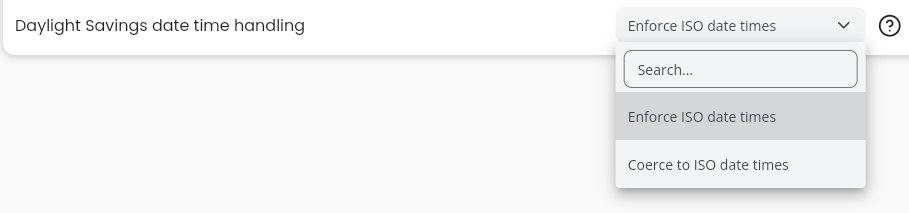
which will allow
00:30 -> 01:00
despite 1am in this case not being a valid datetime
a value of
fac-tel-ind:Errorwill enforce strict iso 8601 checking and invalid datetimes will result in the import failing with an error.
DST "Jump Backwards" (where a day is 25 hours)
in a DST jump backwards situations the data is expected look like this:
01:00:00->01:30:00
01:30:00->01:00:00
01:00:00->01:30:00
01:30:00->02:00:00
when a time is ambiguous - in this scenario 1 and 1:30 AM the data will be assumed to be supplied in the correct order.
notice that one interval has an ending datetime "before" the starting datetime.
Check out our API documentation portal at https://apidocs.usefactor.io/api/endpoint/import/import-home. If you don't have a password please contact your account administrator.