Output rate shaping
Last updated: July 28, 2026
Output Rate Shaping allows the derivation of different time of use rates from any interval-level forecast charges. This requires a new field on our forecasting interface, which accepts a partition.
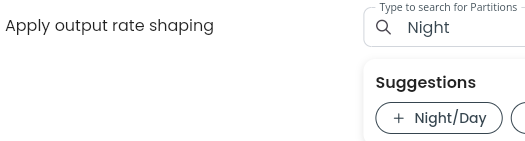
This output shaping partition defines how intervals are grouped when calculating effective rates from the total volume and value within each period.
For example:
A forecast may be rated using a temporal rate using a Red / Amber / Green partition. This will produce the following charge output:
Charge | Volume | Average Rate | Value |
Energy Red | 2,324 kWh | $0.33/kWh | $766.92 |
Energy Amber | 3,419 kWh | $0.22/kWh | $754.38 |
Energy Green | 4,507 kWh | $0.16/kWh | $712.12 |
Total | 10,260 kWh | $2,233.42 |
However, when the same forecast using the same input rate set, but with with an output shaping partition e.g. Day/Night, the resulting interval-level charges from the Red / Amber / Green rating are aggregated into Day and Night periods, producing an effective Day rate and Night rate:
Charge | Volume | Average Rate | Value |
Energy Day | 6,287 kWh | $0.24/kWh | $1,500.00 |
Energy Night | 3,963 kWh | $0.19/kWh | $733.25 |
Total | 10,260 kWh | $2,233.42 |
Why this is helpful
For energy retailers, Output Rate Shaping makes it easier to price and quote customers using the time-of-use structures that align with their retail products, regardless of the underlying rate structures used to calculate the forecast.
This allows complex or granular input charges to be translated into simpler, customer-facing rate structures such as Day / Night, while preserving the relationship between the customer's forecast volume and the charges applied. It also provides a consistent way to apply this transformation across all volume-based charges included in a forecast.